
Disclosure: This post contains affiliate links. If you click through and make a purchase, I may earn a commission at no extra cost to you. I only recommend tools I personally use and trust.
Learning how to find low competition keywords is the reason I stopped publishing into a void. During my first couple of months on this blog I wrote about whatever topic felt useful that week, and the traffic graph stayed flat. Then I started choosing topics based on whether page one actually looked beatable, and the graph finally started moving.
Quick answer: Low competition keywords are searches where the pages already ranking are beatable: they have few referring domains, thin or outdated content, forum threads on page one, and no dominant brand that seems impossible to outrank. For a new blog, pick keywords where you can be more specific and draw on more firsthand experience than the pages already ranking.
I should say up front that I’m not an agency SEO. I started this site in my fifties, on a small budget, with no team. Everything below is the filter I use myself before committing three hours to a draft, and I’ve flagged which parts come from vendor documentation, which come from third-party research, and which are based on my own experience.
My goal is simple: show you how to find low competition keywords using the free data you already have. Here’s the sentence I keep coming back to when I’m tempted by a big, shiny keyword: a keyword isn’t easy because a tool gives it an easy score; it’s easy because page one has gaps you can fill.
How to Find Low Competition Keywords When Your Site Has No Authority Yet?
Every keyword tool shows a difficulty score, and almost none of them know anything about your site. That’s the first thing to understand.
Ahrefs describes its own Keyword Difficulty, or KD, as an absolute metric on a scale of 0 to 100, calculated from the number of linking domains pointing at the pages currently ranking in the top 10. The company also states plainly that the score tells you how hard it is for the average website to rank, not how hard it is for your website, and suggests thinking of it like a speed limit sign.
Everyone sees the same number. What you can actually drive depends on your car.
That gap matters most when your domain is only a few weeks old. A KD of 20 can be a gentle hill for a site with three years of content behind it and a wall for yours. There’s also no official threshold here. Google publishes guidance about helpful, people-first content, but it doesn’t publish a difficulty score or a definition of low competition.
KD, DR, and DA are vendor metrics, and each vendor calculates them differently. So I stopped looking for a universal number and built my own reachable band using data I already had. If you’ve published even five posts, you can do this today.
- Open Google Search Console, go to the Performance report, set the range to the last three to six months, and sort queries by impressions rather than clicks. Impressions show up long before clicks do, so this is where new sites get their earliest signals.
- Take the ten to twenty queries where you already appear, even at position 40 or 60, and look up each one in whatever keyword tool you use. Write down the KD range next to each query.
- Open the actual results page for the three queries where you rank best. Note who’s ranking and how specific their pages are. That list is your reachable band, and it’s far more honest than any benchmark table you’ll find on a blog.
Why be this picky? Because the default outcome for a new page is silence. In a study updated in May 2025, Ahrefs looked at one million random URLs seen by its crawler and found that only 1.74 percent of them reached the top 10 within a year, down from 5.7 percent in 2017.
Using a different filter of two million URLs with non-empty English content, 6.11 percent made it within a year, which the author suggests is the fairer figure. The same study found that 72.9 percent of pages in the top 10 are more than three years old, and that the average page sitting at number one is around five years old.
I see that as a budgeting exercise, not a reason to quit. That’s one vendor’s crawl data; it’s observational, and it says nothing about your niche. But it does explain why picking winnable keywords matters: you’re choosing how long you’re willing to wait, and low competition keywords are simply the short queue.
Where this stops working: the Search Console route requires at least a few weeks of data. On a brand-new domain with almost no impressions, you don’t have a band to measure yet, so borrow one instead. Look at two or three small sites in your niche that are roughly your size and see which of their pages get traction.
When I talk about how to find low competition keywords, this is the part most guides skip. Your starting band comes from your own search data, not from a round number somebody promises will work for everyone.
How to Find Low Competition Keywords by Reading the SERP Instead of the Score?
Tool scores disagree with each other more than beginners expect. Ahrefs published a comparison of one keyword across four tools: for best backpack, Ahrefs showed 42, Moz showed 47, Semrush showed 79, and KWFinder showed 50. Same keyword, same day, four different verdicts.
Ahrefs also says outright that no metric can accurately predict your chances of ranking for a given keyword. That’s why the results page is the real evidence.
Ahrefs lists what experienced SEOs check by hand when they want an honest estimate, and I’ve adapted that into a routine that takes about ten minutes per keyword.
- Count the links you’d need. Look at how many referring domains the top pages have. If every result is backed by dozens of domains, you’re not going to write your way past that this year.
- Look for cracks. The Ahrefs article points to content freshness, low-DR sites holding a spot, and what it calls fluffy content. Outdated and vague pages are the cracks I look for first.
- Check who you’re actually up against. Note the domain strength of the results, whether they have a whole cluster of posts on the topic, and how much internal linking supports each page.
- Confirm that the intent matches what you plan to publish. If page one is full of free tools and you were about to write an essay, the keyword isn’t for you, no matter how low the score looks.
- Compare quality honestly. Ask whether you can add accuracy, real experience, or details that are simply missing. If the honest answer is no, drop it.
I use this process on a shortlist rather than researching one keyword at a time, and that’s the only part of the process I’ve ever handed to someone else. I send a sheet of forty to sixty candidate keywords and ask for four columns per row: who ranks in the top five, whether any result is more than two years old, whether forums or Reddit appear, and whether an AI answer sits on top.
Freelancers who handle this kind of repetitive research and data cleanup can be found on Fiverr, and it’s a reasonable use of a small budget when your list is long.
It’s a poor fit for two things. Don’t outsource the decision about what your site is about, and don’t outsource the writing of posts where your own experience is the whole point. A virtual assistant can fill in a spreadsheet. They can’t tell you which of those keywords you’re the right person to answer.
One more thing a difficulty score won’t show you is whether an AI answer sits above the results and absorbs the click before anyone reaches your page. Third-party studies disagree on the size of the effect, so I treat the overall direction as clear and the exact percentages as unsettled.
If a keyword is easy to rank for but also fully answered in the summary on the results page, the win is smaller than it looks. I wrote separately about showing up inside those answers in how to get cited in Google AI Overviews.
So how to find low competition keywords really comes down to one habit. Open the results page before you open a blank document, and let what you see there carry more weight than what the tool told you.
What Does a Winnable Keyword Look Like on Page One?
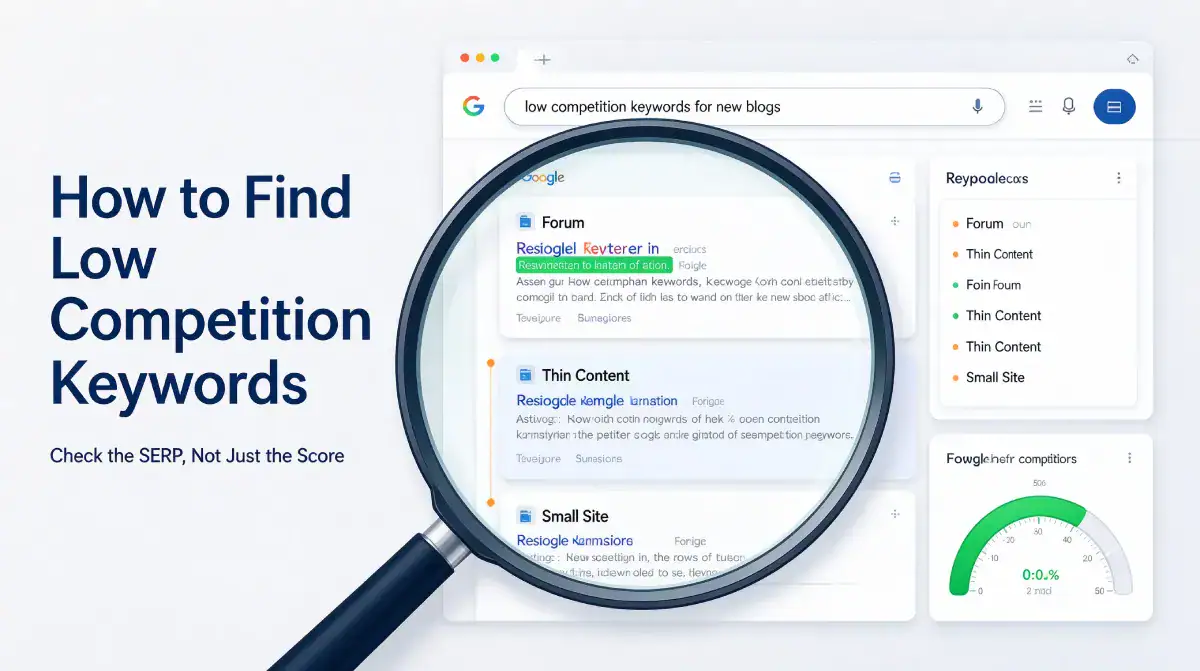
After you’ve looked at enough results pages, the pattern becomes obvious within seconds. These are the five signals I check, and they’re the practical half of how to find low competition keywords.
- Forum threads, Reddit posts, or Quora answers sitting in the top five, which usually means nobody has written a proper page for that question yet.
- Titles that answer a slightly different question than the one you typed, which is a gap you can close by being precise.
- At least one result that hasn’t been updated in two years, especially for anything involving tools, pricing, or platform rules.
- Small sites holding positions, with no dominant brand in sight.
- Nobody showing firsthand experience. Generic advice with no screenshots, no numbers, and no story is easy to beat on substance.
I score each candidate out of five, one point per signal, and I write anything that scores four or five. A three is a maybe that goes back on the list. Two or less gets dropped, even when the search volume looks attractive.
That last signal is the one I lean on hardest, and it’s the reason I wrote a whole post on how to show first-hand experience in a blog post. When every result on page one explains a topic in general terms, a page with your own screenshots, your own numbers, and a specific story about what broke is genuinely different content.
Difficulty scores can’t see that. Readers can.
One more check that saves me from wasting drafts: search the keyword and see whether the top pages are thin. If the best page on the topic is 400 words of filler, that’s an opportunity, not a warning. If the top page is a detailed guide from a site with a strong reputation in this niche, a low KD number isn’t going to save you.
Where this stops working: this scoring method is my own, built from checking a few hundred keywords on one small site. It isn’t a validated model, and it works better for informational how-to topics than commercial ones. In money niches like hosting or insurance, page one is usually bought and maintained by established players, and the signals look different.
The practical version of how to find low competition keywords is this: five yeses, or move on to the next candidate on your list.
Common Pitfall vs Recommended Approach
Common Pitfall: Filtering only by the difficulty score
You paste a hundred keywords into a tool, sort by KD under 30, and start writing from the top. What you get is a list of keywords that look easy for the average site, ranked by a formula that ignores your domain, your topic focus, and whether an AI answer eats the click.
I did exactly this and wrote three posts that went nowhere. Learning how to find low competition keywords mostly means unlearning this shortcut.
Recommended Approach: Filter by the results page, then by the score
Use the score as a first filter to clear out the obvious walls, then spend ten minutes on the actual page for each survivor. Ahrefs describes KD as a first filter for removing keywords that are too competitive, and it doesn’t recommend basing every decision on it.
That order, SERP first and score second, is what changed my results.
Common Pitfall: Chasing volume because the number looks impressive
A keyword with 12,000 monthly searches feels like a bigger prize than one with 90. On a new site, the bigger number usually means established sites have been competing over it for years, and you’ll be waiting a long time for a result you can’t measure.
Recommended Approach: Trade volume for a realistic first win
Take the smaller keyword, get one page ranking, and use the impressions from that page to build your reachable band. Small wins also teach you what your site can do, which is information no keyword tool sells.
Quick Recap Checklist
Before you write a single word, run these five checks. This is my working answer to how to find low competition keywords, compressed into one list you can keep open in a second tab.
- Check your own Search Console impressions first, and write down the difficulty range of queries where you already appear.
- Open the results page for every candidate keyword, and look for forum threads, outdated pages, and thin content in the top five.
- Confirm that the intent of page one matches the page you plan to publish, whether that’s a guide, a list, or a tool.
- Score each candidate out of five using the signals above, and only write the fours and fives.
- Check whether an AI answer already sits above the results, and treat that as a smaller prize rather than a deal breaker.
Common Mistakes to Avoid
- Treating a low difficulty score as permission to write. The score is an estimate based on links to pages that already rank. It says nothing about whether your page will be better than theirs, and Ahrefs notes it doesn’t factor in on-page SEO at all.
- Ignoring the age of what is ranking. In the Ahrefs study, 72.9 percent of top 10 pages were over three years old. A keyword isn’t low competition just because the pages look simple if those pages have had years to collect links and trust.
- Researching for hours and publishing nothing. Research feels productive and delays the scary part. Put a cap on it. Ten minutes per keyword, pick one, and write the post.
How to Track Your Progress
- Write down the keyword next to every post you publish in a simple sheet, along with the date and the signals that made you pick it. Over a few months, that sheet becomes your own record of how to find low competition keywords that actually work on your site.
- Once a week, check Search Console for impressions on those keywords. Impressions move first, so they’re the earliest sign that your pick was right.
- After about six months, look at anything that’s getting impressions but no clicks, and update it. Ahrefs suggests revisiting content around the six-month mark, since the chances of moving without changes get low after that.
- If a page gets no impressions at all, first confirm that it’s indexed using the steps in how to get Google to index a new blog, then decide whether the keyword was simply too big for your site.
Frequently Asked Questions
How to find low competition keywords with no paid SEO tool?
Start with Google itself. Type your topic into the search box and read the autocomplete suggestions and the People Also Ask boxes, which reflect real queries people type. Then check the results page for forum threads and outdated pages, which are signs that nobody has answered the question properly. Free tiers of most keyword tools give you a handful of lookups per day, which is enough if you make a shortlist first and look things up second. That’s the cheapest way to learn how to find low competition keywords before spending money on any tool.
How to find low competition keywords that still bring real traffic?
How to find low competition keywords that still bring buyers starts with intent, not volume. Look for keywords with modest search volume and clear buying or action intent, such as a specific tool name plus a problem or a comparison between two options. Ten visits from people ready to act tend to be worth more than a hundred visits from people who were only curious. Check the intent of page one before you commit, because if the results are all listicles and you planned a tutorial, the traffic won’t convert.
How to find low competition keywords when AI answers already cover the topic?
Shift the target toward questions where an AI summary is weak, such as anything that needs your own screenshots, your own numbers, or a step that varies by platform. Simple definitions and short factual lookups are the ones a summary handles well. Keywords that ask what happened when you tried something, or which option worked in a specific situation, are much harder to summarize and much easier for you to win. That shift is how to find low competition keywords once AI answers sit above the results.
How to find low competition keywords isn’t a clever trick; it’s a filter you run before spending your evening writing. Once it becomes a habit, the biggest change isn’t traffic. It’s that you stop abandoning drafts you secretly knew had no chance.
Your 5-Minute Action Step
Open Search Console, sort your queries by impressions, and pick the one where you already rank somewhere between 20 and 60. Search for it, spend five minutes checking the five signals, and then write one section that’s more specific and more firsthand than what’s already ranking.
That single page will teach you more about your own reachable band than any tool subscription.
My broader method for choosing topics sits in how to do keyword research, and if you want the bigger picture on where new blogs actually get visitors, read how to get free traffic to a new blog.
If building the shortlist is the bottleneck rather than checking it, that’s a task worth delegating, and Fiverr is where I look for people to handle bulk keyword and SERP research for a fixed fee.
For the most consistent results, stick to Top Rated Level 2 sellers that explicitly mention blog keywords and manual SERP checks. Skip services built for Amazon KDP or low-content books entirely.
Next up in this series, I’m writing about the other half of the problem: staying consistent with publishing when it’s just you and the writing gets boring. Picking winnable keywords only pays off if the posts actually get published.